
Download UDL Helper – YouTube video downloader, MP3 audio downloader, screenshot tool, video capture, browser extension
Overview
The UDL Helper Browser Extension is designed to simplify the process of downloading video and audio content from YouTube. It enables users to save full-length videos, Shorts, and audio tracks in a variety of formats and resolutions, making it a practical tool for content creators, students, and casual viewers. The app solves the common challenge of preserving online media for offline access, especially when internet connectivity is limited or content is at risk of being removed.
Target users include individuals who frequently consume educational videos, music, or vlogs and wish to retain them for later viewing or listening. The extension also benefits those who need to extract audio from videos for use in personal projects, presentations, or playlists. Its integration into the YouTube player interface ensures a seamless user experience without requiring external tools.
As a browser extension, UDL Helper operates independently of mobile operating systems, functioning within supported web browsers on desktop and tablet devices. The developer, UDL Helper, has positioned the tool as a lightweight, free utility focused on core functionality. While no additional background on the development team is provided, the app’s purpose is clearly defined: to offer a straightforward solution for media extraction.
Real-world applications include saving tutorial videos for study sessions, archiving music from YouTube channels, or capturing key frames from instructional content. In the broader digital ecosystem, UDL Helper fills a niche for users seeking reliable, no-frills tools to manage online video content without relying on third-party websites or complex software.
Key Features & Functionality
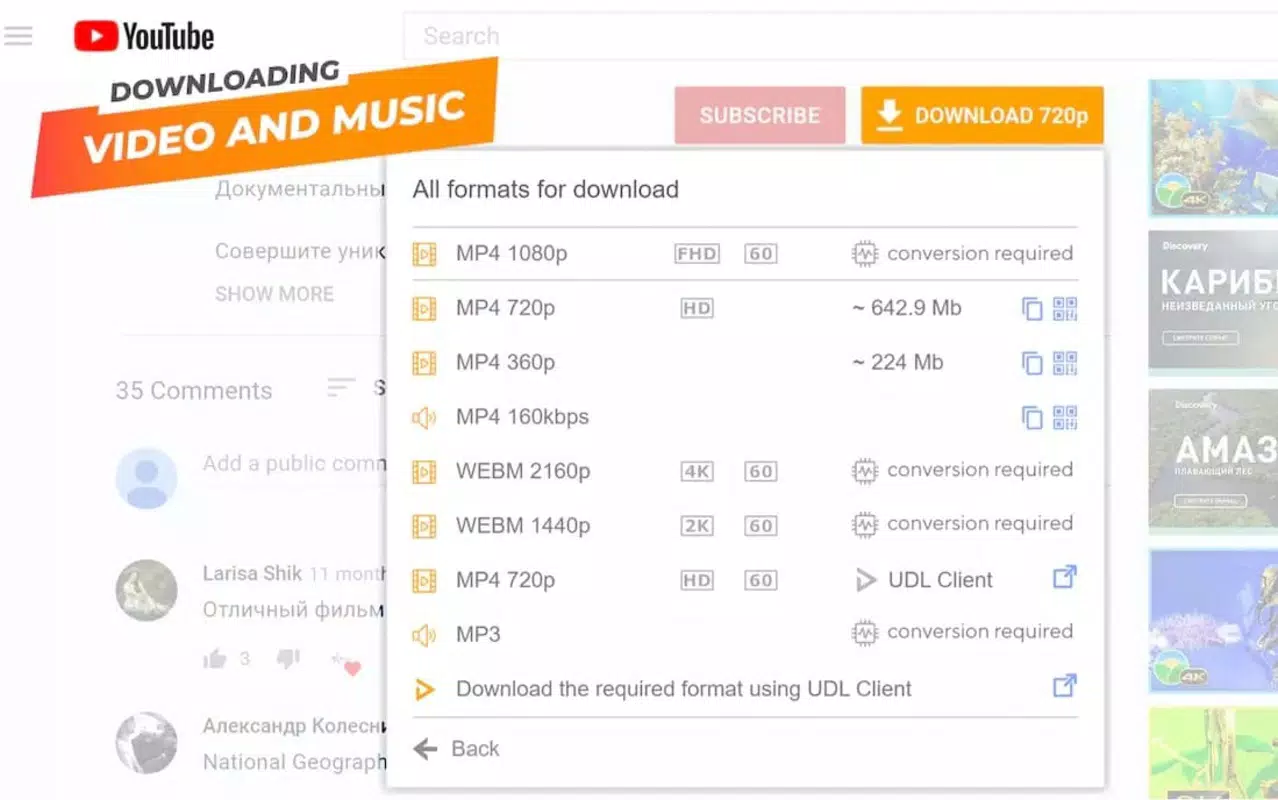
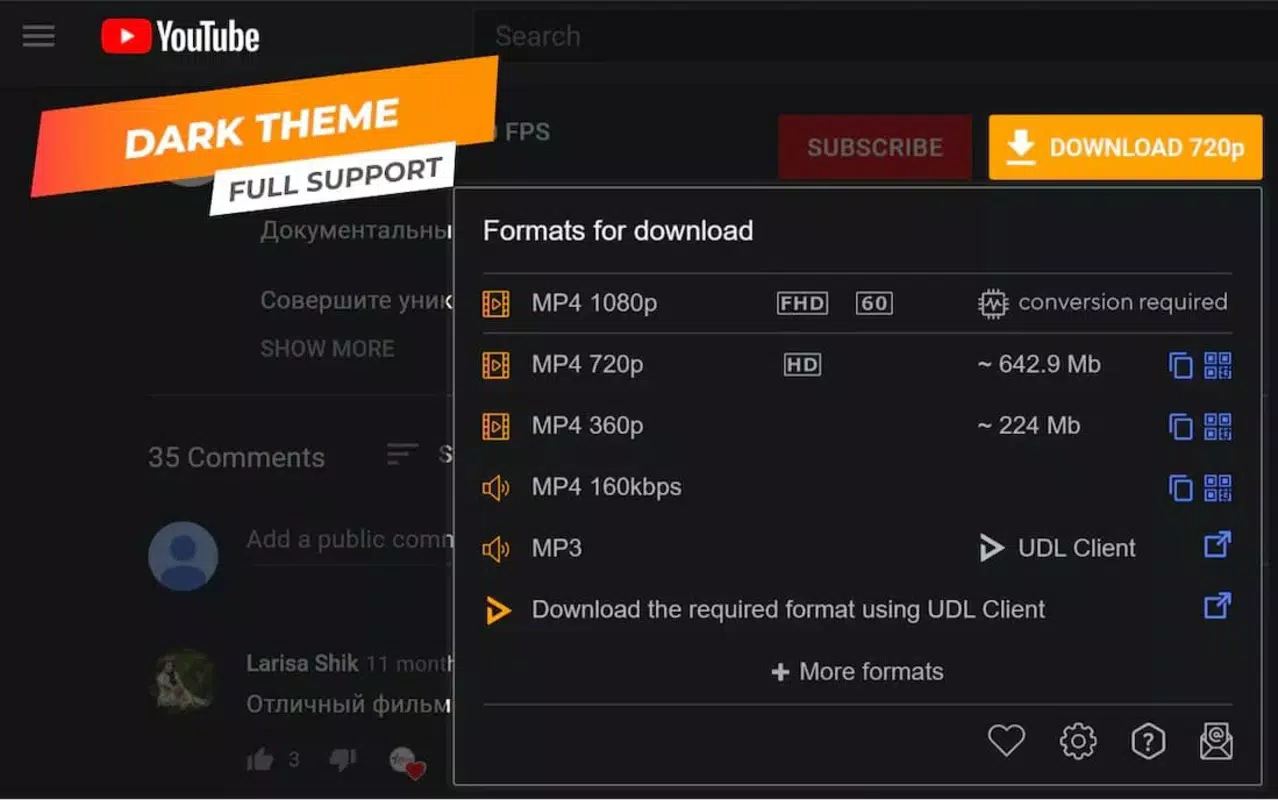
- YouTube Video Download: Users can download videos in multiple resolutions, including 360p, 480p, 720p HD, 1080p Full HD, and 4K Ultra HD. This flexibility ensures compatibility with various devices and bandwidth conditions.
- MP3 Audio Extraction: The extension allows users to extract audio from YouTube videos and save them as MP3 files, ideal for music lovers and podcast listeners who want offline access.
- Embedded Screenshot Tool: A dedicated screenshot button integrated into the YouTube player lets users capture high-quality JPEG images from any frame of a video with a single click.
- Multiple Quality Options: The tool supports both standard and enhanced video qualities, enabling users to choose the best resolution based on their storage capacity and playback device.
- One-Click Download and Capture: All actions are initiated directly from the YouTube interface, minimizing steps and enhancing usability for non-technical users.
For example, a student can download a 10-minute lecture video in 720p for review during a commute, while a music enthusiast can extract an MP3 from a live performance. Similarly, a content creator might use the screenshot feature to save key visuals from a reference video. These use cases highlight the tool’s practicality and adaptability across different user needs.
Interface, UX & Performance
The UDL Helper extension integrates directly into the YouTube video player interface, offering a clean and minimal design that does not interfere with the viewing experience. The user interface is intuitive, with clearly labeled buttons for download and screenshot functions placed within the player controls. Navigation is straightforward, requiring no additional setup or configuration after installation.
Users can access the download and capture options without leaving the YouTube page, which enhances workflow continuity. The extension maintains responsiveness across different screen sizes and browser windows, ensuring consistent performance on both desktop and tablet devices. Although the developer did not list formal performance metrics, the lightweight nature of the extension (2.8 MB) suggests efficient resource usage.
Stability appears to be a focus, as the tool operates reliably within the browser environment without causing crashes or slowdowns. The lack of intrusive ads or pop-ups contributes to a smooth experience. However, specific requirements for browser compatibility or performance on low-end devices were not disclosed. Overall, the UX is optimized for ease of use, making it accessible to users of varying technical skill levels.
Platform Compatibility & Technical Requirements
UDL Helper is designed as a browser extension, meaning it operates within web browsers rather than as a standalone mobile application. It is compatible with major desktop and tablet browsers, though specific platform support was not fully disclosed by the developer.
The extension has a file size of 2.8 MB and runs on the latest versions of supported browsers. The software version is 2.5.0, released on March 4, 2024. While the developer did not specify minimum OS requirements or browser versions, the extension is intended for use on devices capable of running modern web browsers.
Given its nature as a browser-based tool, UDL Helper does not require installation on mobile operating systems like Android or iOS. Users must install it through their browser’s extension marketplace. The lack of mobile app availability means the tool is not optimized for touch-based navigation or mobile screen sizes.
Pros and Cons
Pros
- Free to use with no hidden costs or subscriptions.
- Lightweight design (2.8 MB) ensures fast installation and minimal system impact.
- Direct integration into YouTube player for seamless access.
- Supports high-quality video downloads up to 4K Ultra HD.
- Includes audio extraction and screenshot capture in one tool.
Cons
- Not available as a mobile app; limited to desktop and tablet browsers.
- Specific browser and OS compatibility details were not provided.
- Functionality is restricted to YouTube content only.
- No built-in cloud storage or organization features for downloaded files.
- May violate YouTube’s Terms of Service, depending on usage.
FAQ
Is UDL Helper safe to install?
The extension is free and does not require payment. However, users should ensure they install it from official browser extension stores to avoid potential security risks from third-party sources.
Can I use UDL Helper on my smartphone?
UDL Helper is designed as a browser extension and is not available as a standalone mobile app. It can only be used on devices with compatible web browsers, such as desktops and tablets.
Does UDL Helper work with all YouTube videos?
The extension works with most publicly available YouTube videos. However, content protected by copyright or restricted by the uploader may not be downloadable.
How do I update UDL Helper?
Updates are automatically managed by the browser’s extension marketplace. Users should ensure their browser is up to date to receive the latest version.
Is the extension secure?
As a free browser extension, UDL Helper does not collect personal data. However, users should review permissions during installation and only grant access to necessary functions.
Final Thoughts
UDL Helper stands out as a focused, no-frills solution for users who need to download YouTube videos and audio or capture screenshots directly from the player. Its clean interface, support for high-quality formats, and integrated tools make it a valuable utility for students, content creators, and media enthusiasts.
While it lacks mobile support and advanced file management features, its core functionality is reliable and efficient. The absence of ads and the free pricing model further enhance its appeal. For those who rely on YouTube content for learning, entertainment, or creative work, UDL Helper offers a practical way to preserve and reuse media.
Download UDL Helper now


